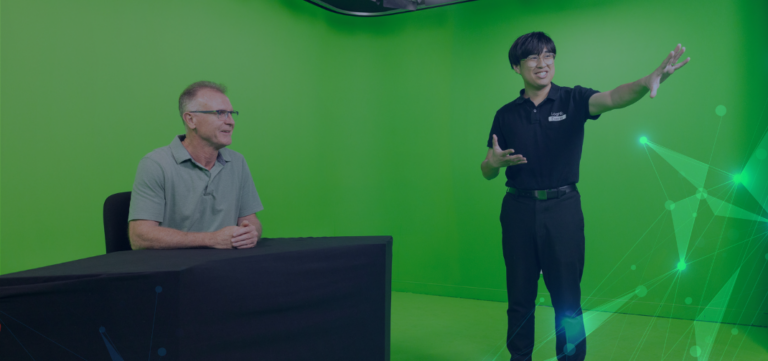
Presenting a webinar from home? You’re not alone — remote webinar presentations have become the norm across corporate communications, investor updates, and online training. But just because you’re not in a studio doesn’t mean your presentation should look or sound unprofessional. With the right tools and setup, remote presenters can achieve high-quality broadcasts that engage and impress. In this guide, we share practical
remote webinar presentation tips to help you deliver a polished, professional session — every time. At Loghic Events, we work with speakers across industries and time zones, helping them look and sound their best — even when they’re dialling in from a spare room or home office. With a few simple adjustments, you can create a studio-quality broadcast from home.
Professional Home Webinar Presentation Tips To Follow
1. Prioritise Audio Quality
Audio is the number one factor in audience satisfaction — if people can’t hear you clearly, they’ll tune out fast. Here’s how to improve it:
• Use a lapel mic, USB microphone, or podcast-style mic — never your built-in laptop mic.
• Avoid rooms with echo (opt for carpeted, furnished spaces).
• Turn off background noise sources like fans, TVs, or open windows.
• Mute alerts and notifications on your computer and phone.
2. Use a Decent Webcam
Video helps build connection — but blurry, low-res or poorly framed visuals can be distracting.
• Use a high-quality webcam (1080p or better).
• Clean the lens before your session.
• Frame yourself from mid-chest upwards, with your eyes roughly one-third from the top of the screen.
• Maintain eye contact by looking into the camera, not at your image.
3. Get Your Lighting Right
Lighting makes an enormous difference to how polished your video feed looks. • Face a natural light source (like a window), but avoid harsh sunlight.
• Never sit with your back to a window — it will create a silhouette.
• Use a ring light or LED panel for consistent brightness, especially in low-light spaces.
• Position the light source at eye level, directly in front of you.
4. Check Your Internet Connection
A weak internet connection is one of the most common causes of glitches during a live webinar.
• Use a wired (Ethernet) connection if possible — it’s more stable than Wi‑Fi.
• Close other programs or devices that might hog bandwidth.
• Test your upload speed — aim for at least
5 Mbps upload for a reliable video stream.
• If Wi‑Fi is your only option, present as close to the router as possible.
5. Create a Professional Environment
Where you present from matters — both visually and acoustically.
• Choose a quiet, private room with minimal background noise.
• Keep your background neutral and clutter-free.
• Avoid using virtual backgrounds unless necessary — they can cause visual glitches.
• Let others in your household know you’re presenting to minimise interruptions.
6. Familiarise Yourself with the Platform
Even experienced speakers can get caught out by unfamiliar tech. Do a quick run-through before your session:
• Know how to mute/unmute yourself and turn your video on/off.
• Practise screen sharing, managing Q&A, or using polls if required. • Log in early on the day for a final check — and have your producer on hand to assist.
✅ Remote Presenter Setup Checklist
☑ External mic (lapel or USB) plugged in and tested
☑ Quality webcam positioned at eye level
☑ Lighting source in front of you
☑ Wired internet or strong Wi‑Fi connection
☑ Quiet room with a tidy background
☑ All notifications silenced
☑ Water, notes and slides ready to go
☑ Logged in early for a tech check
FAQs
✓ What is the best microphone for webinar presenters?
We recommend a lapel mic for discretion or a USB condenser mic for studio-quality audio.
✓ Can I present from home without professional equipment?
Yes — but investing in a few simple tools (like a mic and webcam) will dramatically improve your presentation quality.
✓ How do I check if my internet is fast enough?
Use
speedtest.net or
fast.com. Aim for at least 5 Mbps upload for HD video.
✓ Is natural light enough for good lighting?
It can be — just make sure it’s in front of you, not behind. Use a desk lamp or ring light on cloudy days.
Ready to Level Up Your Remote Presentations?
Whether you’re preparing senior executives for an investor update or coaching internal teams for a virtual event, Loghic Events provides expert support every step of the way.
✓ Personalised presenter coaching
✓ Technical checks and equipment advice
✓ Professional event production from anywhere
Let’s make your next remote webinar your best yet.
Book a free consultation or contact us at
support@loghic.events
It’s not just smart. It’s just Loghical.