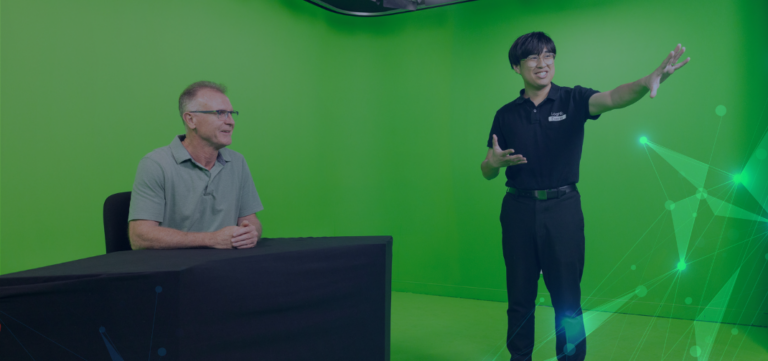
August is a busy month for ASX-listed companies, with many preparing to deliver full-year results to investors, analysts, and media. Whether it’s your first investor call or your fiftieth, success often comes down to preparation — not just of the numbers, but of the people, the platform, and the process. At Loghic Events, we support listed businesses with seamless webcast and teleconference delivery, taking the stress out of results season.
Below is our tried-and-tested ASX results preparation checklist to help your team stay ahead, avoid common mistakes, and deliver a confident, professional investor call.
✅ 1. Lock in Your Date Early
August is peak season — timeslots for webcast and teleconference support fill fast. Confirm your preferred date and time as early as possible, even if your internal approvals are still pending.
✔️ Choose your date
✔️ Confirm internal speaker availability
✔️ Book your platform and delivery provider
✅ 2. Decide on the Right Format
Most investor calls are now run entirely online, offering both
webcast and
teleconference access. This format provides flexibility for your audience and ensures broader reach.
✔️ Webcast for visual presentation and live Q&A
✔️ Teleconference access for analysts and dial-in participants
✔️ Choose between live-only or live + on-demand delivery
✅ 3. Finalise Your Speaker Line-Up
Knowing who’s speaking helps shape your run sheet and flow. Speakers should feel confident in their role and have a clear understanding of how the platform works.
✔️ Assign a lead presenter
✔️ Nominate additional contributors (e.g. CFO, IR Lead)
✔️ Share agenda and approximate speaking times
✔️ Schedule a rehearsal or tech check
✅ 4. Prepare Your Slides and Run Sheet
Your slide deck is the visual core of your briefing — and should reinforce, not overwhelm, your message. Keep it simple, branded, and aligned with your spoken commentary.
✔️ Create a clear, branded slide deck
✔️ Finalise content ideally 24 hours in advance
✔️ Provide speaker notes if needed
✔️ Submit your final deck to your webcast provider
✅ 5. Test Your Tech — Especially for Remote Speakers
If your speakers are presenting from home or the office, run a short tech check ahead of the live event. This avoids surprises and ensures everyone is familiar with the flow.
✔️ Check microphone and camera (if required) quality
✔️ Confirm stable internet connection
✔️ Test screen sharing if required
✔️ Review cue points, Q&A process, and timing
✅ 6. Brief Your Internal Team
Make sure your comms, finance, legal, and IT teams know the plan — especially if they’re providing support during the live call or reviewing content beforehand.
✔️ Share the event run sheet and access details
✔️ Assign someone to monitor incoming Q&A
✔️ Provide links for internal monitoring or dry run access
✅ 7. Confirm Post-Event Deliverables
The value of your investor call doesn’t end when the live stream finishes. Ensure you have a plan for sharing the content afterward.
✔️ Will you make a replay available?
✔️ Do you need edited video or audio?
✔️ Do you need attendee reporting or analytics?
✔️ Is the recording linked in your investor centre or ASX release?
Plan Ahead and Remove the Guesswork
With the right preparation, your August investor call can run smoothly and professionally — without the stress. At Loghic Events, we work behind the scenes to make sure everything just works. From live operator support and speaker briefings to branded webcast pages and post-event reporting, we’ve got you covered.
✅ Book Now for August Results Season
Secure your webcast and teleconference support early.
August slots are limited — don’t leave it to the last minute.
Contact Loghic Events to reserve your investor call.
FAQs
✔ How much notice do you need to run an investor call?
We recommend booking 2–6 weeks in advance during results season. That said, we can move quickly if needed — just get in touch.
✔ Can you manage both webcast and teleconference?
Yes. Most investor calls use both, and we’ll manage them as a single event — fully branded, supported, and monitored.
✔ What if my speakers are remote?
No problem. We support remote presenters every day and will run a short rehearsal or tech check beforehand to ensure everything is working.
✔ Can you record and edit the session?
Yes. We offer full recordings, light edits, and hosted on-demand versions to share with investors or upload to your website.
✔ Is the platform secure?
Absolutely. Our webcast platform meets corporate governance and data privacy standards, with secure access and reporting controls.